What is cloud-init?
Table of Contents
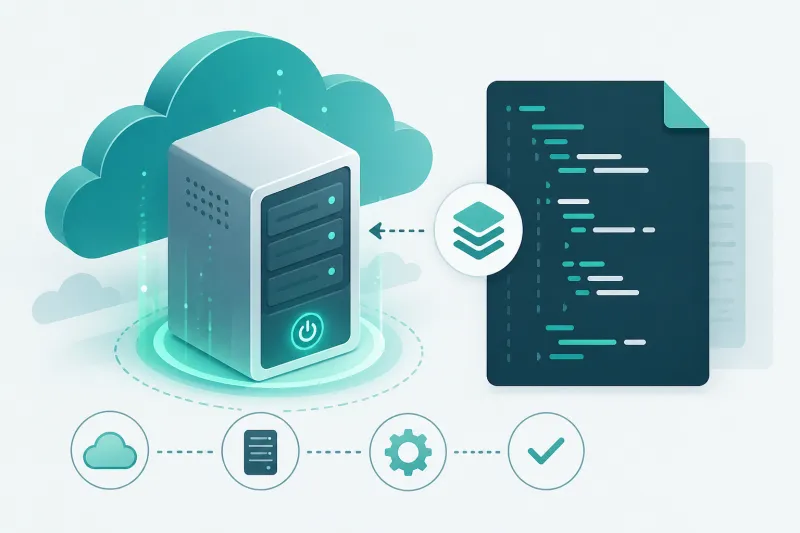
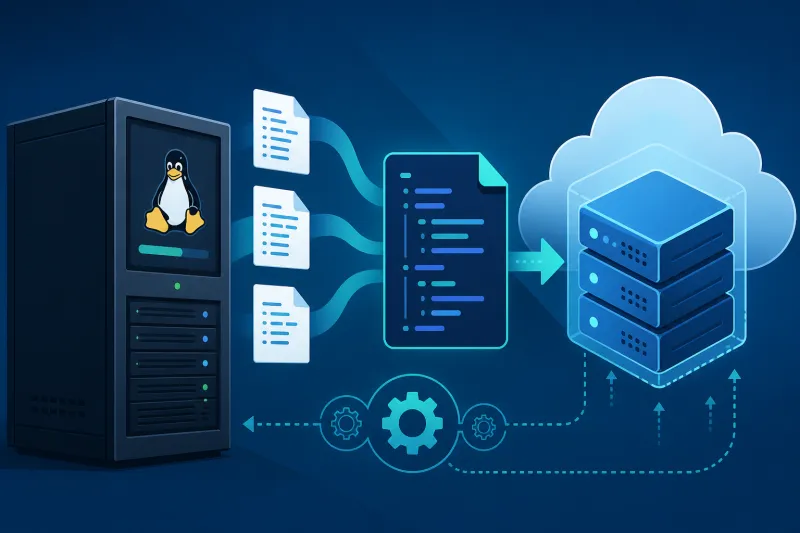
cloud-init is the industry-standard way cloud instances configure themselves on first boot. You pass user-data when you create a VM; cloud-init runs early in the boot process, applies networking and system settings, installs packages, writes files, and executes commands—so the machine leaves the “blank image” state without an interactive SSH session.
If you provision VPS hosts often—especially VPN servers—you eventually stop hand-editing each droplet. cloud-init is the common denominator across major clouds and images. Understanding it is foundational for repeatable infrastructure, whether you paste YAML into a control panel or generate it from an automation platform.
This guide explains what cloud-init does, how user-data and modules work, practical examples for Ubuntu on DigitalOcean, and the operational pitfalls that waste hours.
What You'll Learn
- What cloud-init is responsible for during early boot
- How user-data, vendor-data, and instance metadata fit together
- Which modules matter for typical VPS and VPN provisioning
- Practical
#cloud-configexamples you can adapt - Best practices for secrets, idempotency, and debugging
- Common mistakes that leave instances half-configured
What cloud-init Actually Is
cloud-init is software baked into most official cloud Linux images (Ubuntu, Debian, and many others). On boot it detects that it is running on a cloud (or a local datasource such as NoCloud), fetches configuration, and runs a staged pipeline of modules.
Roughly, the pipeline includes:
- Init / local — grow filesystems, set hostname basics, prepare datasources
- Config — users, SSH keys, disk setup, writes, package installs
- Final — late commands, including
runcmdand package upgrades you deferred
Exact stage names and module lists depend on distro config under /etc/cloud/cloud.cfg and /etc/cloud/cloud.cfg.d/. You rarely edit those on ephemeral VPS images; you supply user-data instead.
Datasources and metadata
A datasource tells cloud-init where to read instance identity and configuration. On DigitalOcean, cloud-init speaks to the DigitalOcean metadata service. Other clouds have their own datasources. The important operator idea: the provider injects identity (SSH keys, hostname, region) and you inject intent (user-data).
User-data is your script. Metadata is the platform’s description of the instance. Good automation uses both: SSH keys from the account, packages and VPN bootstrap from user-data.
Formats you will see
#cloud-config YAML — the preferred declarative form for most tasks.
Shell scripts starting with #! — run as a script; fine for simple cases, easy to make non-idempotent.
Multipart MIME — combine cloud-config and scripts when you need both.
For maintainability, prefer #cloud-config for users, packages, files, and systemd enablement; reserve shell for logic cloud-config cannot express cleanly.
Why Operators Rely on It
Repeatability. The same user-data produces the same baseline every time you create a droplet.
No interactive bootstrap. Critical when you create infrastructure from APIs or a provisioning product.
Timing. cloud-init runs before you would normally SSH in, which is exactly when you want firewall defaults, admin users, and agent installs applied.
Portability of ideas. Even when clouds differ, #cloud-config knowledge transfers: packages, write_files, users, runcmd appear everywhere.
cloud-init is not a full configuration management replacement for long-lived drift control (that is Ansible/Puppet/etc.). It is the first-boot contractor that gets the machine into a known starting state.
Core Modules You Will Actually Use
users and SSH access
Create a sudo user, disable fragile defaults, and install authorized keys. Prefer injecting keys from your provider account and declaring users explicitly when you need a predictable local admin.
packages and package_update
Install wireguard, fail2ban, or whatever your role needs. package_update: true refreshes indexes before installs—slower boots, fewer “package not found” surprises.
write_files
Drop unit files, sysctl snippets, or config templates onto disk with explicit permissions. This is how you plant /etc/wireguard/wg0.conf or an agent env file without curling from a random URL at runtime.
runcmd and bootcmd
bootcmd runs earlier each boot; runcmd runs once per instance by default on first boot (per cloud-init semantics for instance identity). Use runcmd to systemctl enable --now services after files exist.
Networking
On modern Ubuntu images, netplan often owns runtime network config; cloud-init renders netplan from datasource and optional network-config. For most public DigitalOcean droplets, DHCP on eth0 already works—only customize networking when you know you need static routes or extra interfaces.
power_state
Optional reboot after long upgrades. Handy, but make sure your provisioning system does not race assuming the instance is ready.
A Practical #cloud-config Example
The following user-data hardens a fresh Ubuntu droplet enough to be a useful VPN host starting point. Adjust packages and files to your protocol.
#cloud-config
package_update: true
package_upgrade: true

users:
  - name: ops
    groups: [sudo]
    shell: /bin/bash
    sudo: ALL=(ALL) NOPASSWD:ALL
    ssh_authorized_keys:
      - ssh-ed25519 AAAA... your-key ...

ssh_pwauth: false

packages:
  - wireguard
  - ufw
  - fail2ban
  - qrencode

write_files:
  - path: /etc/sysctl.d/99-vpn-forward.conf
    permissions: "0644"
    content: |
      net.ipv4.ip_forward=1
      net.ipv6.conf.all.forwarding=1
  - path: /etc/ufw/applications.d/wireguard
    permissions: "0644"
    content: |
      [WireGuard]
      title=WireGuard
      description=WireGuard VPN
      ports=51820/udp

runcmd:
  - sysctl --system
  - ufw default deny incoming
  - ufw default allow outgoing
  - ufw allow OpenSSH
  - ufw allow 51820/udp
  - ufw --force enable
  - systemctl enable --now fail2ban
Notes for real deployments:
- Inject WireGuard private keys from a secrets backend at provision time; do not commit them into git-tracked user-data templates.
NOPASSWD:ALLis convenient for automation boxes; tighten for human-shared hosts.- DigitalOcean already allows you to attach SSH keys at droplet create; still declare policy explicitly when the image might enable password auth.
Vendor-data versus user-data
Some platforms supply vendor-data (provider defaults) in addition to your user-data. Conflicts are rare if you keep user-data focused, but when something unexpected happens—an extra user, a changed SSH default—check whether vendor-data contributed.
Debugging cloud-init
When first boot “did nothing”:
sudo cloud-init status --long
sudo less /var/log/cloud-init.log
sudo less /var/log/cloud-init-output.log
cloud-init status reports whether the run finished or errored. The output log captures stdout from package installs and runcmd.
To re-test user-data on a throwaway instance you may clean and reboot—but on production, prefer destroying and recreating. cloud-init’s instance identity tracks whether first-boot modules already ran; casually “rerunning everything” on a live VPN node is a good way to duplicate users or break services.
Validate YAML before launch. A single indentation error can skip half your config. Use a linter in CI for generated user-data.
cloud-init and VPN Automation
VPN servers are a natural fit for first-boot automation:
- Create VPS (API or UI) with user-data
- Install protocol packages and agent software
- Write initial config and enable services
- Register with a control plane for ongoing peer/user management
That last step matters. cloud-init should establish a secure baseline and bootstrap. Day-2 tasks—adding VPN users, rotating keys, repairing firewalls—belong in ongoing management, not in ever-growing #cloud-config documents.
TunnelFleet’s DigitalOcean provisioning path is built around this separation: create the droplet, bootstrap via cloud-init-oriented install, then manage VPN lifecycle without SSHing in to edit peer blocks by hand.
Best Practices
-
Keep user-data short and purposeful. First boot only. Push complexity to images or config management if needed.
-
Never put long-lived secrets in plaintext templates stored in git. Render secrets at provision time from a vault.
-
Pin package intent, not entire lockfiles, unless you build custom images. For stricter supply chain control, use golden images baked by CI.
-
Make
runcmdsteps safe if accidentally re-run. Prefersystemctl enable --nowand idempotent file writes overecho >>append loops. -
Log the user-data version. Write a file like
/etc/tunnelfleet-bootstrap-revisionso you know what generation a host came from. -
Fail closed on SSH. Disable password auth; use keys; consider disabling root login once your admin user works.
-
Test on a scratch droplet. Every cloud image update can change timing or defaults.
-
Separate firewall policy in cloud and on host. cloud-init can configure UFW; still set DigitalOcean cloud firewall rules for defense in depth.
Common Mistakes
Invalid YAML. Tabs, bad indentation, or missing #cloud-config header.
Assuming runcmd runs on every reboot. First-instance semantics surprise people; use systemd units for recurring tasks.
Hardcoding private keys in blog-friendly examples that then get copied to production repos. Treat examples as shapes, not secret containers.
Racing apt manually while cloud-init still holds locks. Wait for cloud-init status to finish before interactive package work.
Forgetting package_update: true then failing installs. Especially on fresh images with stale indexes.
Doing too much in user-data. Multi-minute upgrades, large compiles, and fragile curls make boots unreliable. Bake images or stage downloads carefully.
Ignoring exit codes in shell user-data. A script can fail silently mid-way if you do not set -e and monitor logs.
Expecting cloud-init to replace forever config management. Drift after month three is not cloud-init’s job.
FAQ
Is cloud-init only for “the cloud”?
It originated there and is standard on cloud images, but datasources like NoCloud allow use on local VMs and metal with seeded ISO/config drives.
Does DigitalOcean support cloud-init?
Yes. You can provide user-data when creating droplets (UI or API). Official Ubuntu images include cloud-init.
cloud-init vs Ansible?
cloud-init: first boot. Ansible: ongoing convergence and audits. Many teams use both—cloud-init bootstraps an agent or baseline; Ansible or a control plane continues.
cloud-init vs Terraform?
Terraform provisions resources (droplets, firewalls, DNS). cloud-init configures the guest OS at birth. Terraform often passes user-data into the droplet resource; it does not replace cloud-init inside the VM.
How long should user-data take?
Seconds to a few minutes is typical. If boots regularly take tens of minutes, move heavy work into image baking.
Can I update user-data on an existing droplet?
Not meaningfully for first-boot modules already consumed. Rebuild for clean baselines; use SSH/config management for changes on live hosts.
Where is user-data stored on the instance?
Cached under /var/lib/cloud/ (layout varies). Treat it as sensitive if it contained secrets—another reason to minimize secrets in user-data.
Why did my write_files content look wrong?
YAML multiline rules (| vs >) and escaping bite often. Validate rendered files after first boot.
Do I need cloud-init for Docker-only hosts?
If the image uses it, it still runs for SSH keys and networking. Even container hosts benefit from sane first-boot hardening.
What about Windows?
Windows images on clouds often use other provisioning agents (for example cloudbase-init). This article focuses on Linux VPS practice.
Summary
cloud-init is the first-boot configuration engine on modern cloud Linux images. You supply user-data; modules create users, install packages, write files, and start services before you ever log in. Used well, it turns VPS creation into a reproducible pipeline. Used poorly, it becomes an untested shell script with secrets in git.
If you remember only a few points:
- Prefer
#cloud-configover ad-hoc scripts when possible - Keep first-boot scope tight; manage day-2 elsewhere
- Debug with
cloud-init statusand the cloud-init logs - Inject secrets at provision time; do not commit them
- Test user-data whenever base images change
Mastering cloud-init is one of the highest-leverage skills for anyone running fleets of VPN or application VPS nodes on DigitalOcean or similar platforms.
If you want to automate VPN server deployment instead of configuring everything manually, TunnelFleet helps you provision and manage VPN infrastructure on your own cloud provider with minimal manual setup.
Share this article
Practical guides on VPN infrastructure, server automation, and self-hosted networking from the TunnelFleet team.
View all articles by TunnelFleet Editorial →