What is WireGuard?
Table of Contents
WireGuard is a modern VPN protocol designed to be simple, fast, and auditable. It creates encrypted tunnels between devices using a small, carefully chosen set of cryptographic primitives—and it does that with a codebase small enough that security researchers can actually read it end to end.
If you manage your own servers, run remote access for a team, or connect private networks across cloud regions, WireGuard is usually the first protocol worth evaluating. It ships in the Linux kernel, works well on routers and phones, and avoids the configuration sprawl that older VPN stacks accumulated over decades.
This guide explains how WireGuard works in practice: the concepts that matter, a minimal working configuration, and the operational habits that keep tunnels reliable.
What You'll Learn
- What problem WireGuard solves compared with older VPN designs
- How peers, keys, and interfaces fit together
- Which cryptographic building blocks WireGuard uses—and why that list stays short
- How to bring up a basic tunnel on Ubuntu
- Operational best practices and common mistakes
- When WireGuard is a strong fit (and when you should consider alternatives)
What WireGuard Actually Is
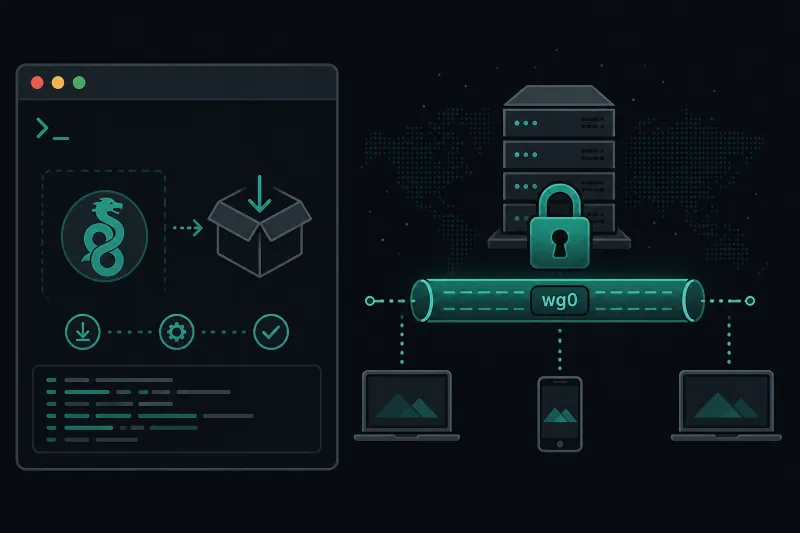
At a high level, WireGuard is a layer-3 VPN. It adds a virtual network interface (typically named wg0) to your system. Packets that enter that interface are encrypted and sent to a peer over UDP. Packets that arrive from a peer are decrypted and appear on the interface as normal IP traffic.
That interface model is important. Once WireGuard is up, the rest of your stack—routing, firewalls, DNS, application listeners—treats the tunnel like any other network link. You are not wrapping every application in a special client library. You are extending the network.
WireGuard deliberately rejects large feature matrices. There is no cipher negotiation menu, no sprawling plugin architecture, and no “compatibility mode” zoo. Peers agree on a fixed cryptographic suite. If both sides speak WireGuard, they can talk. If not, they cannot. That constraint is a feature: it removes entire classes of downgrade attacks and misconfiguration.
Peers, not “clients and servers”
WireGuard does not enforce a strict client/server hierarchy in the protocol itself. Every participant is a peer with:
- A private key (secret, stays on the device)
- A public key (shared with peers that should communicate)
- A list of allowed IPs (which traffic should be sent to that peer)
- Optionally, an endpoint address and port (where UDP packets should go)
In practice you often still deploy a “server” VPS that has a public IP and many peers pointing at it. Conceptually, though, that VPS is just another peer with different routing and firewall duties.
Allowed IPs are the routing policy
AllowedIPs is the most misunderstood WireGuard setting—and the most important.
For each peer, AllowedIPs does two jobs:
- Outbound routing: traffic destined for those IPs is encrypted and sent to that peer.
- Inbound filtering: decrypted packets that claim a source outside those IPs are dropped.
If you set a peer’s AllowedIPs to 0.0.0.0/0, you are saying “send essentially all IPv4 traffic through this peer” (a full-tunnel VPN). If you set it to 10.0.0.2/32, you are saying “only traffic for that single host goes through the tunnel” (a split tunnel or host-to-host link).
Get AllowedIPs wrong and you will see “the handshake works but nothing routes,” or worse, you will blackhole traffic by sending too much through a peer that cannot forward it.
Cryptography Without the Circus
WireGuard’s cryptographic choices are opinionated on purpose. The protocol uses:
| Building block | Role |
|---|---|
| Curve25519 | Key exchange (Diffie–Hellman) |
| ChaCha20 | Symmetric encryption |
| Poly1305 | Message authentication |
| BLAKE2s | Hashing |
| SipHash | Hashtable keys |
| HKDF | Key derivation |
There is no cipher suite negotiation. Both peers use this suite. That keeps the implementation small and removes a common source of vulnerability in older VPN protocols: “support everything, negotiate later.”
Keys are straightforward. Generate a private key; derive the public key from it. Peers store each other’s public keys. Optionally, you can use a preshared key (PSK) as an additional symmetric secret for post-quantum threat models—defense in depth if large-scale quantum attacks against Diffie–Hellman become practical. A PSK is not required for a correct deployment today, but it is an easy extra control for high-assurance environments.
Handshakes are based on the Noise protocol framework (the Noise_IK pattern). In practical terms: peers authenticate each other with public keys, derive session keys, and can start exchanging data quickly. Idle sessions can be short-lived; WireGuard is comfortable roaming between networks because sessions re-establish cheaply when a peer’s public IP changes (for example, a laptop moving from office Wi‑Fi to mobile data).
Why Teams Choose WireGuard
Engineers rarely adopt a VPN protocol because of a landing page. They adopt it because operations get easier.
Small attack surface. Fewer lines of code and fewer optional features mean fewer surprises during audits.
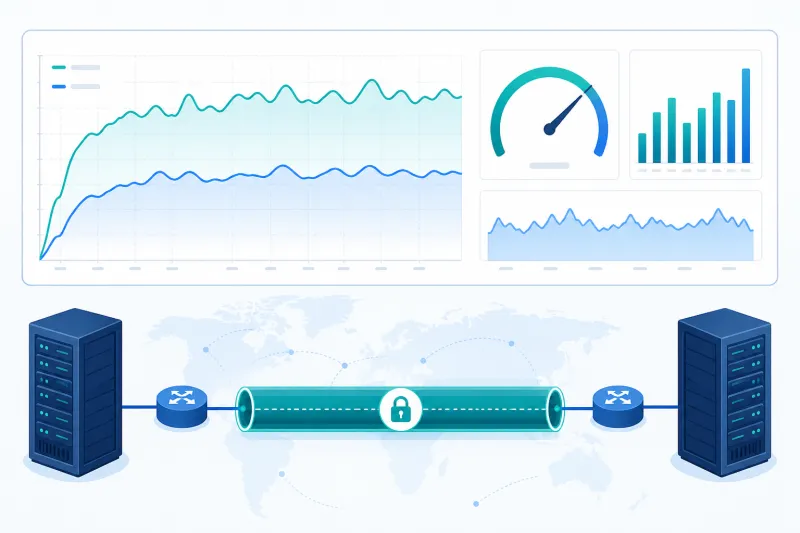
Kernel performance on Linux. The in-tree WireGuard implementation avoids unnecessary userspace hops for packet processing. For throughput-sensitive tunnels on a VPS, that matters.
Simple mental model. One interface, keys, allowed IPs, optional endpoint. New teammates can read a config file without a week of tribal knowledge.
Roaming-friendly. Mobile and laptop users change networks constantly. WireGuard’s handshake design handles that more gracefully than many older stacks.
Ubiquitous clients. Official or well-supported clients exist for major desktop and mobile platforms. On Linux servers, wg and wg-quick are enough for most automation.
None of that means WireGuard is magical. You still need sound key handling, firewall rules, IP planning, and monitoring. The protocol reduces complexity; it does not remove responsibility.
A Minimal Working Example
The following example creates a simple point-to-point tunnel between a VPS (server) and a laptop (client). Addresses use a private range reserved for the tunnel: 10.66.66.0/24.
1. Install tools (Ubuntu 24.04)
On both machines:
sudo apt update
sudo apt install -y wireguard
Confirm the kernel module is available:
sudo modprobe wireguard
ip link help | grep -i wireguard
2. Generate keys
On each machine:
umask 077
wg genkey | tee privatekey | wg pubkey > publickey
Keep privatekey readable only by root. Exchange public keys out of band (password manager, secure chat, configuration management—not a public git repo).
3. Server configuration
Create /etc/wireguard/wg0.conf on the VPS:
[Interface]
Address = 10.66.66.1/24
ListenPort = 51820
PrivateKey = <SERVER_PRIVATE_KEY>

[Peer]
PublicKey = <CLIENT_PUBLIC_KEY>
AllowedIPs = 10.66.66.2/32
Open the UDP port on the firewall (UFW example):
sudo ufw allow 51820/udp
sudo ufw reload
Bring the interface up:
sudo systemctl enable --now wg-quick@wg0
sudo wg show
4. Client configuration
On the laptop, /etc/wireguard/wg0.conf:
[Interface]
Address = 10.66.66.2/24
PrivateKey = <CLIENT_PRIVATE_KEY>
DNS = 1.1.1.1

[Peer]
PublicKey = <SERVER_PUBLIC_KEY>
Endpoint = vpn.example.com:51820
AllowedIPs = 10.66.66.0/24
PersistentKeepalive = 25
Notes:
Endpointtells the client where to send UDP packets.PersistentKeepalivehelps when the client is behind NAT and the server needs a reachable return path.AllowedIPs = 10.66.66.0/24keeps this as a split tunnel to the VPN subnet only. Change to0.0.0.0/0(and::/0for IPv6) only if you intentionally want a full tunnel.
Start it:
sudo wg-quick up wg0
ping -c 3 10.66.66.1
If ICMP replies come back, the tunnel’s data path works. From there you can add routes, reverse proxy private services, or enable IP forwarding for site-style access.
5. Optional: IP forwarding on the server
If clients should reach other networks behind the VPS (for example, a private VPC subnet), enable forwarding and add the correct firewall masquerade rules. A minimal sysctl change:
echo 'net.ipv4.ip_forward=1' | sudo tee /etc/sysctl.d/99-wireguard-forward.conf
sudo sysctl --system
Forwarding without matching firewall policy is a common source of “ping works to the VPN IP but not beyond.” Treat routing and firewall as part of the same change.
Cloud-init Sketch for a Fresh VPS
When you provision VPN nodes often, bake WireGuard into first boot instead of SSHing in by hand. A shortened cloud-init fragment:
#cloud-config
package_update: true
packages:
  - wireguard
write_files:
  - path: /etc/wireguard/wg0.conf
    permissions: "0600"
    content: |
      [Interface]
      Address = 10.66.66.1/24
      ListenPort = 51820
      PrivateKey = ${WG_SERVER_PRIVATE_KEY}
      [Peer]
      PublicKey = ${WG_CLIENT_PUBLIC_KEY}
      AllowedIPs = 10.66.66.2/32
runcmd:
  - systemctl enable --now wg-quick@wg0
In production, inject secrets from your vault or provisioner rather than committing private keys into templates. TunnelFleet’s DigitalOcean flow is built around this idea: provision the droplet, install the agent, and manage VPN users without hand-editing every peer block on every server.
Best Practices
-
Plan the overlay network first. Pick a dedicated CIDR that does not overlap office LANs, cloud VPCs, or home networks. Overlaps create silent routing pain.
-
Restrict management access. WireGuard protects packets on the tunnel; it does not replace SSH hardening, MFA for dashboards, or least-privilege access to your cloud account.
-
Keep private keys offline from git. Render configs from a secrets store. Rotate keys when devices are lost or staff leave.
-
Monitor handshakes.
wg showexposes the latest handshake time. Stale handshakes are an early signal of endpoint, NAT, or firewall problems. -
Document AllowedIPs intentionally. Full tunnel vs split tunnel is a product decision, not a default to shrug at.
-
Prefer UDP path health. WireGuard is UDP-only. If a network blocks UDP 51820, change the listen port or fix the middlebox—don’t expect a TCP fallback inside WireGuard itself.
-
Automate peer inventory. Spreadsheets of public keys do not scale. Whether you use config management or a control plane, treat peers as inventory with owners and expiry.
Common Mistakes
Using the same private key on two machines. Each peer needs its own keypair. Reusing keys makes audit trails meaningless and complicates revocation.
Forgetting firewall rules for UDP. TCP 22 being open does not help WireGuard. Allow the listen port over UDP on the cloud security group and the host firewall.
Setting AllowedIPs too broadly on the server peer entry. On the server, each client peer should typically allow only that client’s tunnel IP (/32 or /128). Broad server-side AllowedIPs can accept spoofed inner addresses.
No keepalive behind NAT. If the server must initiate traffic to a NATed laptop, or you want the mapping to stay fresh, set PersistentKeepalive on the NATed side (often 25 seconds).
Overlapping tunnel and LAN ranges. Choosing 10.0.0.0/24 for the VPN when your cloud VPC already uses it will waste hours. Allocate something distinctive.
Assuming “encrypted” means “exposed service is safe.” A tunnel is a transport. Authenticate applications. Limit which overlay IPs can reach administrative ports.
Editing live configs without wg syncconf or a clean bounce. Know whether you are replacing the interface (wg-quick down/up) or applying a safe sync. Test changes on a staging node when the tunnel is business-critical.
Frequently Asked Questions
Is WireGuard free and open source?
Yes. The protocol and primary implementations are open source. You can run them on your own VPS without a WireGuard license fee. Commercial products may wrap WireGuard with management UIs—that is separate from the protocol itself.
Is WireGuard more secure than OpenVPN?
“More secure” depends on threat model and operational discipline. WireGuard’s advantage is a smaller, modern cryptographic design with less negotiation surface. OpenVPN is mature and flexible, especially where TCP transport or complex legacy constraints matter. Many teams run WireGuard for new deployments and keep OpenVPN only where requirements demand it.
Does WireGuard work on Windows, macOS, iOS, and Android?
Yes. Official or widely used clients exist for major platforms. Server-side administration is still most often done on Linux.
Can WireGuard run over TCP?
Not natively. WireGuard uses UDP. If you must traverse a network that only allows TCP/443, you need an outer transport (for example, a UDP-over-TCP wrapper) with clear performance and operational trade-offs. Prefer fixing UDP allowlists when you control the network path.
How many peers can one server handle?
Far more than small teams need, if you size CPU, bandwidth, and peer management sanely. The bottleneck is usually operational—key distribution, IP allocation, and support—not raw cryptography. For large fleets, invest in automation early.
Do I need a public IP on every peer?
No. Only peers that others must dial as an Endpoint need a reachable address (or a stable intermediary). Laptops behind NAT commonly initiate outbound to a public VPS and rely on keepalive.
Is WireGuard anonymous?
No. WireGuard is an encryption and tunneling tool. Your VPS provider still sees connection metadata to that server. If someone needs anonymity properties, that is a different design problem involving threat models WireGuard alone does not claim to solve.
What port should I use?
51820/udp is the common default. You can choose any free UDP port. Consistency across automation matters more than the specific number.
How do I revoke access?
Remove the peer block (or equivalent inventory record), reload the configuration, and rotate related credentials if you suspect key compromise. Revocation is inventory hygiene—another reason not to manage production peers only by hand.
Does WireGuard support IPv6?
Yes. You can assign IPv6 tunnel addresses and include IPv6 prefixes in AllowedIPs (for example ::/0 for full-tunnel IPv6). Plan dual-stack deliberately so DNS and firewall rules match.
Summary
WireGuard is a modern, UDP-based VPN protocol built around a virtual network interface, public-key peers, and a fixed cryptographic suite. Its strength is not a long feature list—it is a small design that fits how Linux networking already works.
If you remember only a few points:
- Peers authenticate with public keys; protect private keys carefully
AllowedIPsis your routing and filtering policy—set it deliberately- Open UDP on firewalls and cloud security groups
- Prefer automation for anything beyond a handful of peers
- A working handshake is necessary but not sufficient; verify routing and forwarding separately
From here, good next reads are a hands-on install on Ubuntu, a DigitalOcean deployment walkthrough, and a protocol comparison when you need to justify WireGuard against OpenVPN or IKEv2 for a specific constraint.
If you want to automate VPN server deployment instead of configuring everything manually, TunnelFleet helps you provision and manage VPN infrastructure on your own cloud provider with minimal manual setup.
Share this article
Practical guides on VPN infrastructure, server automation, and self-hosted networking from the TunnelFleet team.
View all articles by TunnelFleet Editorial →