What is a VPS?
Table of Contents
A VPS (Virtual Private Server) is a virtual machine sold as a dedicated-feeling server: you get a public IP, root (or administrator) access, a fixed slice of CPU/RAM/disk, and responsibility for everything that runs in the guest OS. Unlike shared hosting, you choose the stack. Unlike renting an entire physical machine, you share the underlying hypervisor host with other tenants while remaining isolated at the virtualization boundary.
For DevOps engineers and self-hosters, VPS instances are the default place to run VPN concentrators, reverse proxies, CI runners, and small production apps. Understanding what you are actually buying—and what you remain responsible for—prevents both under-securing a “toy” box and overpaying for capacity you do not need.
This guide explains how VPS virtualization works, how it compares to adjacent products, what to look for when sizing a VPN host, and how day-2 operations differ from “I installed Ubuntu and walked away.”
What You'll Learn
- What a VPS is in practical, contractual, and technical terms
- How virtualization isolates tenants—and what isolation does not guarantee
- How VPS compares to shared hosting, dedicated servers, and “serverless”
- Which resources matter for VPN workloads
- Hardening and networking basics for a new instance
- Common mistakes when self-hosting on VPS platforms
What a VPS Actually Is
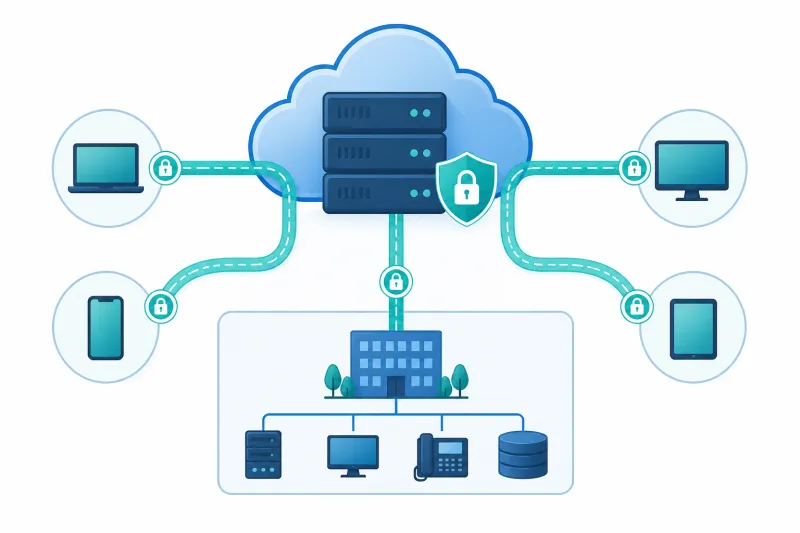
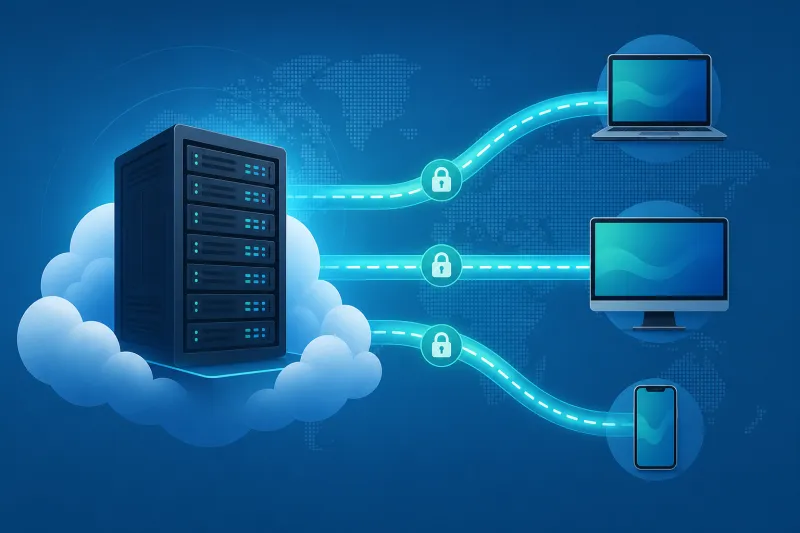
A cloud provider runs physical machines in a datacenter. A hypervisor (KVM is common on modern Linux hosts) divides each machine into multiple virtual machines. Each VM boots its own OS kernel, has its own virtual NICs and disks, and believes it owns the hardware.
Commercially, a VPS (DigitalOcean calls them Droplets) is one of those VMs offered with:
- A chosen image (Ubuntu 24.04, etc.)
- A size plan (vCPU, RAM, disk, transfer allowance)
- Network identity (IPv4, often IPv6)
- Optional extras (backups, monitoring, cloud firewalls)
You receive credentials—usually SSH key injection via cloud-init—and from that moment the guest is yours to configure.
What “private” means (and does not)
Private means you are not sharing a single web-server userspace with strangers the way classic shared hosting does. Your processes, packages, and files are yours.
It does not mean:
- Physical isolation from other customers on the same hypervisor host
- Immunity from provider-side outages or maintenance
- Anonymity from the provider (they route your packets)
- A managed security team watching your SSH port
If your threat model requires dedicated hardware, look at dedicated servers or isolated hosts. If you need only a managed website, shared or platform hosting may be cheaper cognitively—even if a VPS is cheap in dollars.
VPS Versus Adjacent Options
| Option | You manage | Typical fit |
|---|---|---|
| Shared hosting | App/files via panel | Simple websites |
| PaaS / serverless | App code mainly | Apps without server ops |
| VPS | Full guest OS + apps | VPN, custom stacks, agents |
| Dedicated / bare metal | Full machine | High isolation, special hardware |
| Kubernetes node | OS + kubelet (often) | Container platforms |
VPN software wants a stable IP, UDP/TCP ports you control, IP forwarding, and often a kernel that can load WireGuard or IPsec modules. That checklist maps cleanly onto a VPS. It maps poorly onto most shared hosting plans.
Resources That Matter for VPN Hosts
CPU. Encryption is cheap on modern CPUs for modest user counts, but spikes during handshakes and high packet rates. Start small; scale when CPU steal or softirq load says so.
RAM. WireGuard and OpenVPN themselves are not memory hogs. RAM pressure comes from OS caches, logging stacks, and co-located services. Still avoid tiny plans if you also run monitoring agents and fail2ban and a reverse proxy.
Network bandwidth and packets-per-second. VPN nodes are network appliances. Provider transfer caps and noisy-neighbor effects matter more than disk benchmarks. Check the plan’s transfer allotment and whether bandwidth is shared fairly.
Disk. For a dedicated VPN host, disk is mostly logs and packages. Prefer SSD-backed plans. Enable retention limits so journald does not fill the volume.
Location. Latency to users dominates perceived VPN quality. Place the VPS near the people or services that will use it—not near your home by default if your team is elsewhere.
IPv4 scarcity. Some plans charge for extra IPv4. One address is enough for a single VPN endpoint. IPv6 is increasingly useful; plan dual-stack deliberately if you enable it.
Networking Model on a Typical Droplet
A public DigitalOcean droplet usually has:
- A public interface with internet IPv4/IPv6
- Optional VPC/private networking for talking to other droplets privately
- Optional cloud firewall attached at the provider edge
Your VPN listens on the public interface (for example UDP 51820). Private networking helps when you want tunnel users to reach internal app VMs without exposing those VMs to the whole internet. Design routes and firewalls together: tunnel IP space, VPC CIDRs, and public exposure are three different policies.
A Sensible First-Boot Baseline
After create (or via cloud-init), a minimal operator checklist looks like:
# Update and reboot if kernel requires it
sudo apt update && sudo apt -y upgrade

# Create a sudo user, then disable password SSH and root login in sshd_config
# Install fail2ban or equivalent
# Configure UFW: allow SSH, allow VPN UDP/TCP only
sudo ufw default deny incoming
sudo ufw default allow outgoing
sudo ufw allow OpenSSH
sudo ufw allow 51820/udp
sudo ufw enable

# Unattended security upgrades
sudo apt install -y unattended-upgrades
Then install your VPN protocol packages and confirm the cloud firewall mirrors host rules. Two layers disagreeing—cloud allow / host deny or the reverse—is a classic “it works intermittently” setup.
Shared Responsibility
The provider generally handles:
- Physical datacenter security
- Hypervisor availability (within SLA)
- Network fabric up to your VNIC
- The API that creates/destroys instances
You handle:
- Guest OS patching
- SSH and application authn/z
- Firewall policy inside the OS
- Backups of configuration and keys (even if you buy provider backup products, test restores)
- Compliance choices about logging and retention
Reading the provider’s shared responsibility documentation once will save arguments later about whose fault an open Redis on 0.0.0.0 was.
When a VPS Is the Right Home for a VPN
Remote access for a team to private tools hosted in a VPC.
Self-hosted personal VPN exiting in a specific city for split-tunnel access to home lab services.
Protocol gateways (WireGuard/OpenVPN) managed by automation rather than consumer “VPN apps.”
Edge jumps that terminate tunnels and then proxy to internal networks.
A VPS is a weak fit if you expected a consumer VPN subscription with thousands of exit countries and shared capacity—that is a different product category. Here you own the exit node and its reputation (IP warm-up, abuse complaints, reverse DNS).
Sizing Without Guesswork
- Start with a modest plan near your users.
- Load-test with realistic client counts and traffic shapes (not just
iperfvanity numbers). - Watch CPU, packet drops, and bandwidth during peaks.
- Vertical resize or add regional endpoints when data says so.
Many small organizations never outgrow a single well-placed mid-size droplet for WireGuard remote access. Premature multi-region complexity helps no one.
Best Practices
-
Treat every VPS as production-capable on day one. Internet scanners will find it within minutes.
-
Use SSH keys and disable password authentication. Prefer ed25519 keys.
-
Keep a separate out-of-band recovery path. Provider console/recovery even if you lock SSH down.
-
Snapshot or backup before risky upgrades. Know the restore button works.
-
Put provider cloud firewalls in front of the guest. Default deny public ports; allow SSH from known IPs when practical, VPN ports as needed.
-
Separate roles when feasible. Database VM ≠ VPN VM if blast radius matters.
-
Document the instance purpose and owner. Orphan droplets accumulate and stay vulnerable.
-
Monitor disk, TLS/VPN endpoints, and reboot state. Silent full disks break logging and then break debugging.
Common Mistakes
Leaving the default SSH port open to the world with passwords enabled. Still happens. Still regrettable.
Running every side project on the VPN box. Compromise of a CMS then pivots into tunnel management.
Ignoring outbound abuse. An open relay or compromised host gets your IP null-routed; support tickets follow.
Overlapping private CIDRs. Home 10.0.0.0/24 plus VPC 10.0.0.0/24 plus tunnel 10.0.0.0/24 is a rite of passage you can skip.
Assuming provider backups equal application-consistent key escrow. VPN private keys need an explicit secret story.
Choosing the cheapest region regardless of latency. Technically “works,” feels broken.
No IPv6 plan while enabling IPv6. Half-open dual-stack leads to odd client failures.
Forever-lived “temporary” droplets. Temporary is how shadow IT becomes production.
FAQ
Is a VPS the same as a cloud instance?
In practice yes for most engineers: a VM with API lifecycle. “VPS” is the traditional hosting term; clouds use product names like Droplet, but the guest experience is the same class of machine.
Do I need a VPS to run WireGuard?
You need some always-on host with a reachable endpoint—often a VPS. You could use home hardware with dynamic DNS, at the cost of residential ISP constraints and uptime.
VPS vs dedicated server for VPN?
Dedicated offers stronger isolation and sometimes better network options at higher cost. Most teams start on VPS and move only with a concrete reason.
How many VPN users fit on one VPS?
More than marketing charts admit for light remote-access use, and fewer than you hope if everyone full-tunnels 4K video through one small plan. Measure your traffic.
Which OS should I pick?
Ubuntu 22.04 or 24.04 LTS is a safe default for many VPN stacks and tutorials. Stick to LTS for predictable security updates.
Can I run Docker on a VPN VPS?
Yes, but understand iptables/nftables interaction with Docker’s networking before you also run host firewalls and VPN forwarding.
What happens if the hypervisor host dies?
The provider migrates or restores per their architecture and SLA. Design clients for reconnect; design yourself for rebuild from automation.
Is a VPS anonymous?
No. Billing identity and traffic metadata exist at the provider. Encryption protects tunnel contents from on-path observers between client and server—not from the operator of the VPS.
Should I buy backups?
For anything you cannot recreate purely from IaC and secrets stores, yes. For pure cattle VPN nodes rebuilt by automation, snapshots are still useful before upgrades.
Why DigitalOcean specifically in TunnelFleet docs?
TunnelFleet’s supported cloud provisioning path today is DigitalOcean—create a droplet and manage VPN infrastructure on that provider. The VPS concepts in this article still apply generally; product-supported automation should not be assumed for other clouds unless explicitly documented.
Summary
A VPS is a virtual machine you administer end to end: ideal substrate for self-hosted VPN servers because you control ports, kernel modules, routing, and software versions. You share physical hardware with other tenants but not a shared hosting userspace. Performance, security, and reputation of the public IP are yours to manage.
If you remember only a few points:
- VPS = full guest control + shared hypervisor reality
- Network capacity and location matter more than disk for VPN roles
- Harden on first boot; scanners will not wait
- Align cloud firewall and host firewall
- Prefer rebuildable automation over irreplaceable snowflake boxes
Once the VPS model is clear, protocol choice (WireGuard, OpenVPN, IKEv2) and provisioning (cloud-init, control planes) become the next decisions—not the first ones.
If you want to automate VPN server deployment instead of configuring everything manually, TunnelFleet helps you provision and manage VPN infrastructure on your own cloud provider with minimal manual setup.
Share this article
Practical guides on VPN infrastructure, server automation, and self-hosted networking from the TunnelFleet team.
View all articles by TunnelFleet Editorial →