Best VPS for Running a VPN
Table of Contents
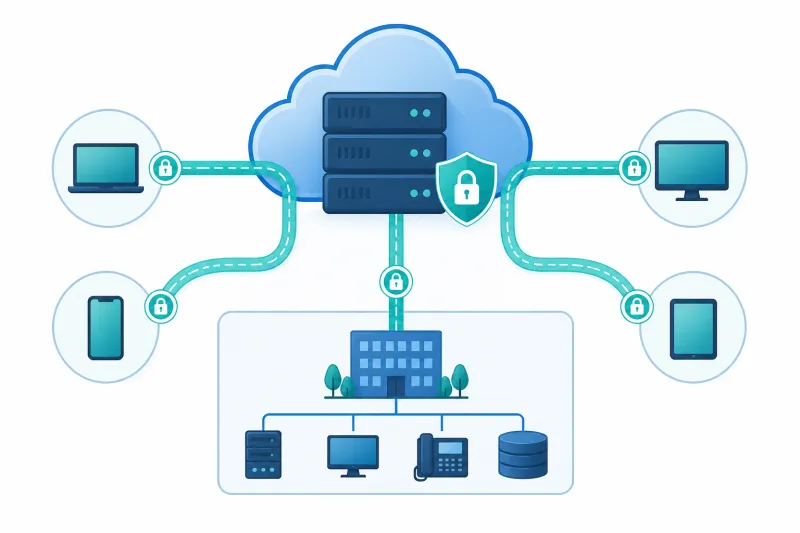
A VPN server is a network appliance that happens to run on a VPS. The “best” VPS is the one that matches your concurrent users, geographic spread, bandwidth budget, and operational model—not the one with the flashiest landing page. This guide walks through the selection criteria that matter for WireGuard and OpenVPN on cloud VMs, with practical sizing starting points.
TunnelFleet automates VPN provisioning on DigitalOcean today. Other providers appear here as industry options you might run manually; that is not a claim of multi-cloud support in the product.
What You'll Learn
- Which VPS resources actually affect VPN performance
- How to size CPU, RAM, disk, and bandwidth for real workloads
- How to think about regions, IPv4, and network quality
- Provider selection criteria (with DigitalOcean called out honestly)
- Operational extras: firewalls, snapshots, and rebuild habits
- Best practices, mistakes, and FAQ for VPN hosting
What a VPN VPS Must Do Well
Your instance needs to:
- Terminate encrypted tunnels (CPU + decent single-thread performance helps)
- Forward packets (kernel networking, routing, firewall)
- Sustain bandwidth within your plan’s network cap and egress pricing
- Stay reachable (stable public IPv4, predictable firewall model)
- Be rebuildable (cloud-init/images/automation) when you change size or region
Disk size rarely matters for a dedicated VPN box. Network and CPU do. RAM matters mainly for OS headroom, logging, and concurrent control-plane tools—not for storing “VPN data.”
Resource-by-Resource Breakdown
CPU
Encryption and packet processing burn CPU. WireGuard on Linux is efficient; OpenVPN userspace is hungrier per bit. Bursty cloud CPUs can look fine in idle demos and fall over during Monday morning login storms.
Guidance
- 1 vCPU: fine for light personal use or a handful of light remote workers on WireGuard, if bandwidth caps are modest.
- 2 vCPU: comfortable small-team WireGuard endpoint; safer if you also run OpenVPN TCP fallback on the same box.
- 4+ vCPU: multi-team or higher throughput aggregation, or noisy co-located services (avoid co-locating heavy apps on the VPN node when you can).
Measure with concurrent iperf3 through the tunnel before you standardize a size.
RAM
2 GB is ample for a dedicated Ubuntu VPN server in most SMB remote-access designs. 1 GB can work if you keep the image lean. Jump to 4 GB only if you co-host monitoring agents, log shippers, or other services—ideally you do not.
Disk
25–50 GB SSD is enough. Prefer SSD-backed plans for OS snappiness and log writes. You are not building a file server.
Bandwidth and network cap
This is where VPN VPSs get expensive or disappointing:
- Port speed / fair use caps on small plans may be far below “1 Gbps network” marketing.
- Egress pricing on some clouds dominates cost once traffic leaves the provider toward the internet.
- Inbound vs outbound asymmetry shows up in real employee traffic (usually more download through the tunnel when full-tunneled).
Estimate monthly egress: concurrent users × average GB/user/day × 30. Compare that to included transfer and overage rates. A “cheap” VM with punitive egress is not cheap.
Public IPv4 and ports
You need a stable public IPv4 (or a well-understood entry path) so clients can set an endpoint. Confirm you can open UDP (WireGuard, OpenVPN UDP) and optionally TCP/443 (OpenVPN TCP) in the provider firewall. IPv6 is a bonus when your clients and apps are dual-stack ready—do not enable it halfway.
Region Strategy
Latency is geography plus peering.
- Put the VPN near users when the VPN’s job is internet egress or general remote access.
- Put the VPN near private resources when the job is reaching a specific VPC/database region—and accept that far-away employees will feel RTT.
- For global teams, prefer multiple regional endpoints over one “world VPN” in a single city.
Rebuilding in another region should be a routine operation, not a migration project. That is a strong argument for automation and immutable-ish server images.
Provider Selection Criteria
Evaluate providers with a VPN-specific lens:
| Criterion | Why it matters for VPN |
|---|---|
| Region coverage | User latency |
| Network predictability | Throughput stability |
| Firewall UX / API | Opening UDP/TCP correctly |
| Egress pricing | Full-tunnel cost |
| Image + cloud-init | Fast rebuilds |
| Simple IPv4 model | Client endpoints |
| Support / status | Outage response |
DigitalOcean
DigitalOcean is a strong fit for straightforward Ubuntu VPN droplets: clear regions, simple firewalls, understandable bandwidth pools on many plans, and an API friendly to automation. TunnelFleet’s automated cloud provisioning supports DigitalOcean—you can create and manage VPN servers there with less manual SSH and install work.
That does not make DigitalOcean the only valid place to run a VPN. It makes it the path of least friction if you want TunnelFleet’s provisioning workflow.
Other common industry options (manual today)
Teams also run VPN gateways on AWS, Google Cloud, Azure, Hetzner, Linode/Akamai, and others. Reasons vary: existing committed spend, private networking into an already-built VPC, specialized regions, or raw price per GB. If you choose those providers today, plan on your own install, hardening, and peer management (or other tooling)—TunnelFleet does not automate those clouds yet.
Be honest in procurement docs: “best VPS” might mean “best inside our existing cloud account,” not “best synthetic benchmark.”
Suggested Starting Sizes
Assume dedicated WireGuard remote access, Ubuntu 24.04, no extra app stack:
| Users (light interactive) | Starting point | Watch |
|---|---|---|
| 1–5 | 1 vCPU / 1–2 GB | Bandwidth cap |
| 5–25 | 2 vCPU / 2 GB | CPU at peak, egress |
| 25–100 | 2–4 vCPU / 2–4 GB, consider regional split | Concurrency tests |
| 100+ | Multiple regional VPSs + automation | Ops, not just size |
“Light interactive” means SSH, web apps, email—not everyone full-tunneling 4K streams. Full-tunnel consumer-style traffic needs more network budget than protocol CPU.
Software Stack on the VPS
Keep the VPN node boring:
- Ubuntu 22.04 or 24.04 LTS
- WireGuard (primary) and optionally OpenVPN for TCP fallback
- UFW or provider firewall with least-open ports
- Automatic security updates or a patched image pipeline
- Time sync, basic monitoring (CPU, bandwidth, disk, systemd health)
- No random panel stack “while you are here”
The best VPS plan cannot save a box that is also your CI runner, Minecraft server, and blog.
When to Vertical Resize vs Horizontal Split
Resize up when CPU saturates or the plan’s network cap is the limit and a larger SKU in the same region is cheaper than complexity.
Split horizontally when:
- Users cluster in multiple continents
- You want blast-radius isolation (team A vs team B)
- You are hitting single-host connection tracking or support noise
- Compliance wants separated environments
Horizontal split is an inventory problem: keys, DNS names, and onboarding docs must stay coherent. Automation pays for itself here.
Networking Features That Quietly Matter
Beyond vCPU counts, check:
- Outbound SMTP and abuse reputation if you ever full-tunnel mail (usually avoid sending mail via VPN egress).
- DDoS protections on the public IP—UDP VPN endpoints can attract noise; know what the provider includes.
- Snapshots vs rebuild — snapshots help recovery; immutable rebuild from cloud-init is often cleaner for VPN nodes with little local state.
- Floating IPs / reserved IPs — useful so client configs keep a stable endpoint while you replace the droplet underneath.
- Private networking / VPC — valuable when the VPN must reach sibling app VMs without public exposure.
DigitalOcean floating IPs and cloud firewalls pair well with a dedicated VPN droplet pattern. Hyperscalers offer equivalents (Elastic IPs, reserved addresses) with more moving parts.
Security Grouping and Multi-Account Layout
Some teams put VPN gateways in a separate cloud project/account from production to limit blast radius. Others colocate for routing simplicity. Both work if firewalls and routes are intentional.
If you separate accounts, document how traffic reaches private apps (peering, private links, or controlled public exposure behind SSO). A “secure” isolated VPN that cannot reach anything useful creates shadow IT tunnels.
Observability on Small Boxes
Even a 1–2 GB VPN VPS should export or retain:
- CPU, memory, disk
- Network bytes in/out
- Systemd health for
wg-quick@wg0(or your unit names) - Optional: peer count and last-handshake freshness via a small exporter or cron check
Without metrics, you will resize reactively after outages instead of before Monday peaks.
Best Practices
- Size from measured concurrent load, not from maximum marketing NIC speed.
- Prefer a dedicated VPN VPS over sharing with production apps.
- Choose regions for people or for private resources—know which goal you optimized.
- Model egress costs before enabling default full tunnel for everyone.
- Keep rebuild + firewall rules automated so region moves are cheap.
- Open only required VPN ports; manage SSH tightly.
- Standardize on Ubuntu LTS images your team already knows.
- Re-test after every size or region change with a fixed iperf3 script.
Common Mistakes
- Buying the largest CPU and ignoring egress pricing.
- One mega-VPN in a single region for a global company.
- Co-hosting databases on the VPN gateway.
- Assuming “unlimited bandwidth” marketing means sustained VPN throughput.
- Leaving IPv6 half-configured so clients randomly prefer broken paths.
- Picking a provider with complex networking just to save $5 on the VM.
- No headroom: 100% CPU at steady state means the next hire breaks the VPN.
- Manual snowflake servers that cannot be recreated during an outage.
FAQ
Is a cheap VPS fine for WireGuard?
Yes for small user counts if the network path and cap meet your needs. Cheap plus distant region plus full tunnel is how “WireGuard is slow” tickets are born.
How much bandwidth do remote employees need?
It depends on split vs full tunnel. Split tunnel to private CIDRs may be a few GB/user/month. Full tunnel of all web traffic can be tens or hundreds of GB. Measure a pilot group.
Do I need NVMe or special storage?
No for a typical VPN gateway. Network and CPU dominate.
Should the VPN be in the same VPC as my apps?
Often yes for private routing simplicity—on clouds where you manage that networking yourself. On a simple DigitalOcean droplet model, private networking between droplets can help when apps live there too. Do not expose app ports publicly “because VPN exists” without firewall discipline.
Is DigitalOcean good for VPN servers?
Yes for many teams: simple droplets, regions, and firewalls. It is also the provider TunnelFleet automates today. If your company is all-in on another cloud’s private network, that operational gravity may outweigh droplet simplicity.
Can I run VPN on ARM VPS instances?
Often yes if images and WireGuard packages support your distro. Benchmark; do not assume x86 numbers transfer.
What OS should I use?
Ubuntu 22.04 or 24.04 LTS is the practical default for most self-hosted WireGuard/OpenVPN guides and for TunnelFleet-oriented workflows.
When should I add a second VPN server?
When regional latency, blast radius, or capacity knees show up in metrics—or when onboarding load makes a single inventory too risky. Do not wait for total outage to invent HA.
Summary
The best VPS for a VPN is sized for CPU and network reality, placed in the right region, and boring to rebuild. Start modest on WireGuard, measure concurrency and egress, then scale vertically or add regional endpoints. DigitalOcean is a solid, simple host for Ubuntu VPN droplets and is what TunnelFleet can provision automatically today; other clouds remain valid when you already live there and accept manual operations.
If you want to automate VPN server deployment instead of configuring everything manually, TunnelFleet helps you provision and manage VPN infrastructure on your own cloud provider with minimal manual setup.
Share this article
Practical guides on VPN infrastructure, server automation, and self-hosted networking from the TunnelFleet team.
View all articles by TunnelFleet Editorial →