Secure SSH: A Complete Guide
Table of Contents
Hardening sshd_config matters. It is not enough. Most SSH incidents in VPS fleets are operational: standing keys for departed staff, shared break-glass accounts, flat access to every DigitalOcean droplet, and no record of who connected when. This guide focuses on SSH as an access system—identity, paths, lifecycle, and recovery—for teams running VPN and infrastructure nodes.
(If you need knob-by-knob daemon hardening, pair this with a dedicated sshd hardening checklist. Here we stay on the operational plane.)
What You'll Learn
- How to model SSH access for VPN/VPS fleets
- Key and certificate lifecycle that matches employment reality
- Jump hosts / bastions and why flat SSH is risky
- Least privilege, auditing, and break-glass design
- How SSH relates to VPN user access (spoiler: keep them separate)
- Best practices, common mistakes, and FAQ
SSH Is Not Your VPN
VPN users authenticate to WireGuard/OpenVPN with tunnel credentials. SSH is for operators changing the host. Mixing them—handing every employee SSH to the VPN concentrator—“because they already use the VPN”—creates a privilege escalation path into your control plane.
Default posture:
- VPN users: client configs only
- Operators: tightly controlled SSH or agent-only admin
- Provider console: break-glass
Identity: One Human, One Credential Trace
Prefer:
- Personal SSH keys (Ed25519) per engineer, or
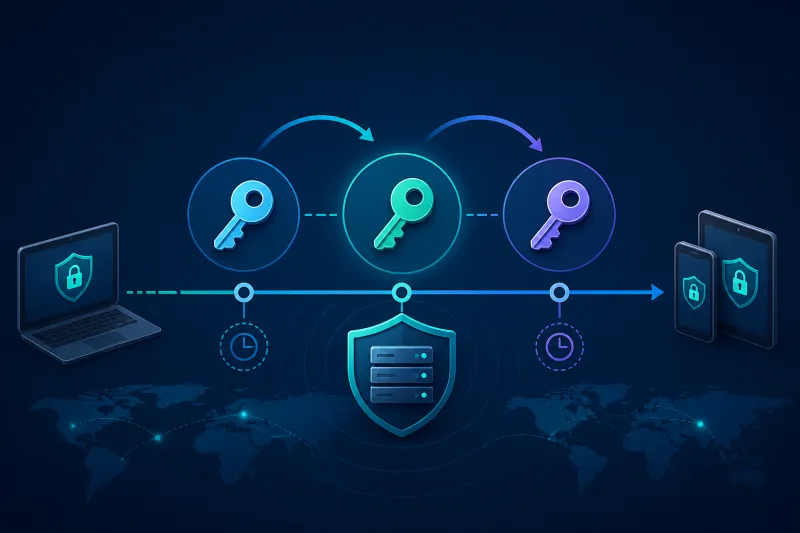
- Short-lived SSH certificates from an internal CA (best at scale)
Avoid:
- One
deploykey shared in a password manager among six people - Reused keys across prod and personal GitHub without inventory
- Password authentication on internet-facing sshd
Inventory fields for each key/cert:
- Subject (person)
- Public key fingerprint
- Servers/roles permitted
- Issued_at / expires_at
- Last used (if you can collect it)
On departure day, revoke is a checklist item with a name—not a rumor.
Lifecycle Workflows
Joiner
- Issue key or sign user certificate with short TTL.
- Grant access only to required roles (bastion first).
- Record ticket/PR approving access.
- Confirm login works; confirm production VPN nodes remain denied if not required.
Mover
- Change group membership / role bindings.
- Remove stale host access the same day.
- Do not accumulate “temporary” prod SSH for years.
Leaver
- Revoke cert or remove authorized_keys entries via automation.
- Rotate any shared credentials they could have known.
- Review recent auth logs on sensitive hosts.
- Confirm VPN peer revoke happened separately.
Jump Hosts and Path Design
Flat SSH from the public internet to every VPN droplet multiplies exposure.
Common pattern:
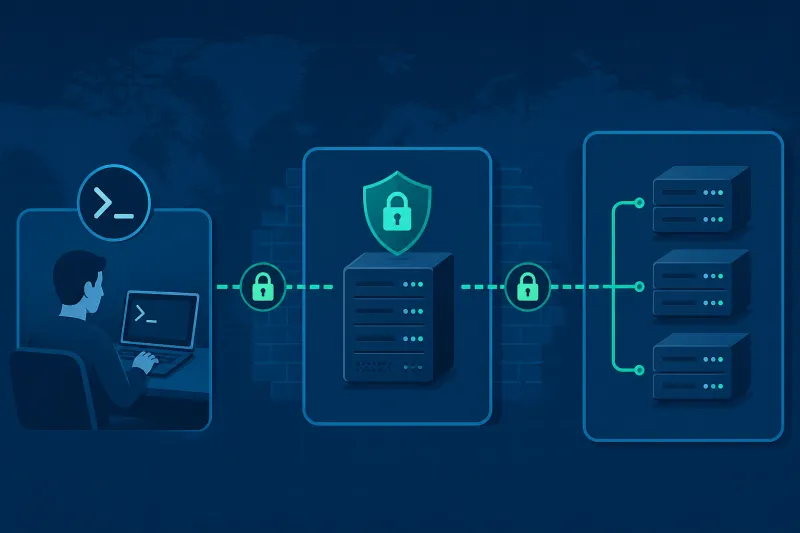
- Engineers authenticate to a bastion (jump host) with stricter monitoring.
- Bastion may reach private VPC addresses of VPN nodes.
- VPN data plane ports remain separate from admin paths.
DigitalOcean VPC helps isolate private NICs; still lock down public SSH if enabled. Some fleets disable SSH on VPN nodes entirely and administer via agent + recovery console.
Use ProxyJump in client configs rather than SSH agent forwarding to untrusted hops when possible. Agent forwarding to a compromised bastion is a classic lateral movement gift.
Least Privilege on the Box
- Separate
sudopolicy per role; not everyone needs root. - Prefer command-limited force-commands for automation keys.
- Disable unused accounts; keep
rootlogin denied for password and preferably for keys too (operate via sudo user). - File permissions on
~/.sshandauthorized_keysmust be correct or sshd will ignore them—monitor for accidental looseness.
Short-Lived Credentials Beat Eternal Keys
SSH certificates with 8–24 hour validity shrink the usefulness of a stolen laptop key. Combine with device identity if you have it. Where certificates are unavailable, enforce quarterly key rotation and automated authorized_keys renders from inventory—manual edits drift.
Auditing and Session Visibility
Collect:
- Authentication success/failure from auth logs
sudologs- Bastion session recordings if policy requires (warn users; store carefully)
Ship logs off-box. An attacker with root can edit local logs. Correlate with DigitalOcean audit events for API-level changes (tokens, firewall edits).
Do not confuse VPN connection logs with SSH logs—they answer different questions.
Break-Glass Access
Define:
- Where break-glass keys live (offline, sealed)
- Who can authorize use
- How long the window lasts
- How credentials are rotated after use
- How DigitalOcean recovery console fits in when SSH is dead
Test break-glass quarterly. Untested break-glass is fictional.
Automation Keys Are Different
CI and provisioners need SSH less often if cloud-init and agents do the work. When automation must SSH:
- Dedicated keys per pipeline
- IP allowlists where practical
- Force-command or purpose-limited accounts
- No interactive shell keys in CI if avoidable
Prefer API + agent enrollment over SSH from CI to production VPN nodes.
Network Policy Around SSH
- Cloud firewall: restrict source IPs to office, VPN admin range, or bastion only
- Host UFW: match the same policy
- Fail2ban or equivalent: optional rate limiting, not a substitute for key-only auth
- Change default port only as mild obscurity—never as primary control
If operators already use your WireGuard admin network, requiring SSH only from tunnel addresses is a strong pattern—as long as a VPN outage does not remove your only recovery path (hence provider console).
Relationship to TunnelFleet-Style Ops
The more VPN lifecycle you push into a control plane (provision droplet, install agent, manage users), the less human SSH you need on every node. That reduction is a security feature. Keep SSH for exceptions; keep exceptions time-boxed.
Access Reviews That Actually Happen
A quarterly CSV export nobody reads is theater. Make reviews workable:
- Auto-generate “humans with prod SSH” from inventory weekly
- Managers approve or deny in a ticket with a deadline
- Automation removes unapproved access when the deadline passes
- Spot-check bastion auth logs against the approved list
Start with production VPN and bastion roles—the highest leverage—before boiling the ocean across every staging box.
Hardware Keys and Phishing Resistance
Where budget and UX allow, prefer hardware-backed keys (security keys with FIDO2 for SSH where supported, or smart-card backed certs). They raise the cost of silent laptop malware exfiltrating a file-based private key. Pair with screen-lock policy and full-disk encryption on operator laptops—the client device is part of the SSH threat model.
Session Brokers and Just-in-Time Access
At larger scale, standing SSH access disappears:
- Operator requests access to
role:vpnfor 2 hours - Policy engine signs a short-lived SSH certificate
- Access expires automatically
- Request and approval are audited
This is the operational endgame beyond static authorized_keys files. You can start simpler, but design inventory so JIT is possible later.
VPN Nodes vs Bastions vs App Servers
Do not copy the same SSH policy everywhere blindly:
- Bastion: hardened, monitored, maybe session recording
- VPN concentrator: prefer agent-only; SSH exceptional
- App servers: may allow broader developer access via jump paths
One policy document with role-specific sections beats three contradictory wikis.
Secrets on Operator Workstations
SSH security fails at the laptop often:
- Unencrypted private keys without passphrase or agent constraints
- Keys copied into cloud notebook VMs
- Screenshots of
authorized_keysin chat
Require passphrases or hardware keys for humans; use IdentitiesOnly yes in SSH configs to avoid offering the wrong key; keep agent forward off by default. Workstation management (disk encryption, patching) is in scope for “secure SSH” even if sshd is perfect.
Linking SSH Revoke to IdP Offboarding
When an IdP account is disabled, automation should enqueue SSH revoke and VPN peer revoke together. Two separate tickets will race and fail. One offboarding webhook, many resource cleanups.
Example Operator SSH Config Pattern
Host bastion-prod
  HostName bastion.example.com
  User alice
  IdentityFile ~/.ssh/alice_ed25519
  IdentitiesOnly yes
  ForwardAgent no

Host vpn-prod-*
  ProxyJump bastion-prod
  User alice
  IdentityFile ~/.ssh/alice_ed25519
  IdentitiesOnly yes
Commit a documented template for humans (without private keys). Consistency reduces “I SSHed straight to the droplet IP with an old key” incidents. Pair with cloud firewall rules that reject non-bastion sources to production VPN nodes.
Compromised Laptop Playbook
When an operator laptop may be compromised:
- Revoke their SSH certs/keys in inventory immediately
- Revoke VPN peers tied to that human
- Rotate any shared credentials they could access
- Review bastion and prod auth logs for their principal
- Re-issue new credentials only after the device is rebuilt or cleared
Speed matters more than perfect forensics in the first hour. Pre-authorize this playbook so you are not debating process during the incident.
Best Practices
- Inventory every key and cert with owners and expiry.
- Bastion or agent-only for production VPN nodes.
- Ed25519 keys or short-lived certs; no passwords.
- Same-day leaver revoke for SSH and VPN peers.
- Off-box auth logs and periodic access reviews.
- Document and test break-glass.
- Restrict SSH sources in DigitalOcean cloud firewalls.
- Separate humans from automation identities.
Common Mistakes
Shared ops account with one private key in five laptops.
Agent forwarding through a bastion used by many teams.
Authorized_keys edited by hand on 80 droplets.
Leaving SSH world-open because “WireGuard is the real security.”
No console recovery plan after a bad UFW rule.
Granting developers SSH to VPN concentrators for log peeking—give them log shipping instead.
Eternal certificates that outlive the contractor engagement.
FAQ
Is disabling SSH on VPN servers safe?
Yes if you have agent management plus provider recovery console procedures. It is often safer than public SSH. Practice recovery before enforcing.
Should I use VPN-only SSH?
Strong when it works. Always retain an out-of-band recovery path for VPN failure scenarios.
Password + MFA for SSH?
Key/cert auth is preferred for servers. If you must use interactive auth, add MFA via supported PAM setups—and still restrict sources. Do not use passwords alone on public VPS SSH.
How often should access reviews run?
Monthly for prod admin roles is a reasonable default; weekly if you are in rapid hiring/contractor churn.
Do jump hosts become single points of failure?
They are concentrated risk—which is why you harden, monitor, and scale them carefully. Still better than hundreds of public sshd instances with uneven hygiene.
What about SSH over the WireGuard interface only?
Bind sshd to the tunnel address or firewall accordingly. Ensure bootstrap and break-glass still work when the tunnel is down.
Is changing the SSH port worth it?
Minor noise reduction against bots. Do not trade it for skipping key inventory or source restrictions.
Summary
Secure SSH is lifecycle and path design: personal or short-lived credentials, bastions or agent-only admin, same-day revoke, audited access, and tested break-glass. Daemon hardening still matters, but fleets fail when keys outlive people. Keep VPN user access off SSH, restrict who can reach sshd, and shrink standing privilege until exceptions are rare.
If you want to automate VPN server deployment instead of configuring everything manually, TunnelFleet helps you provision and manage VPN infrastructure on your own cloud provider with minimal manual setup.
Share this article
Practical guides on VPN infrastructure, server automation, and self-hosted networking from the TunnelFleet team.
View all articles by TunnelFleet Editorial →